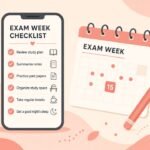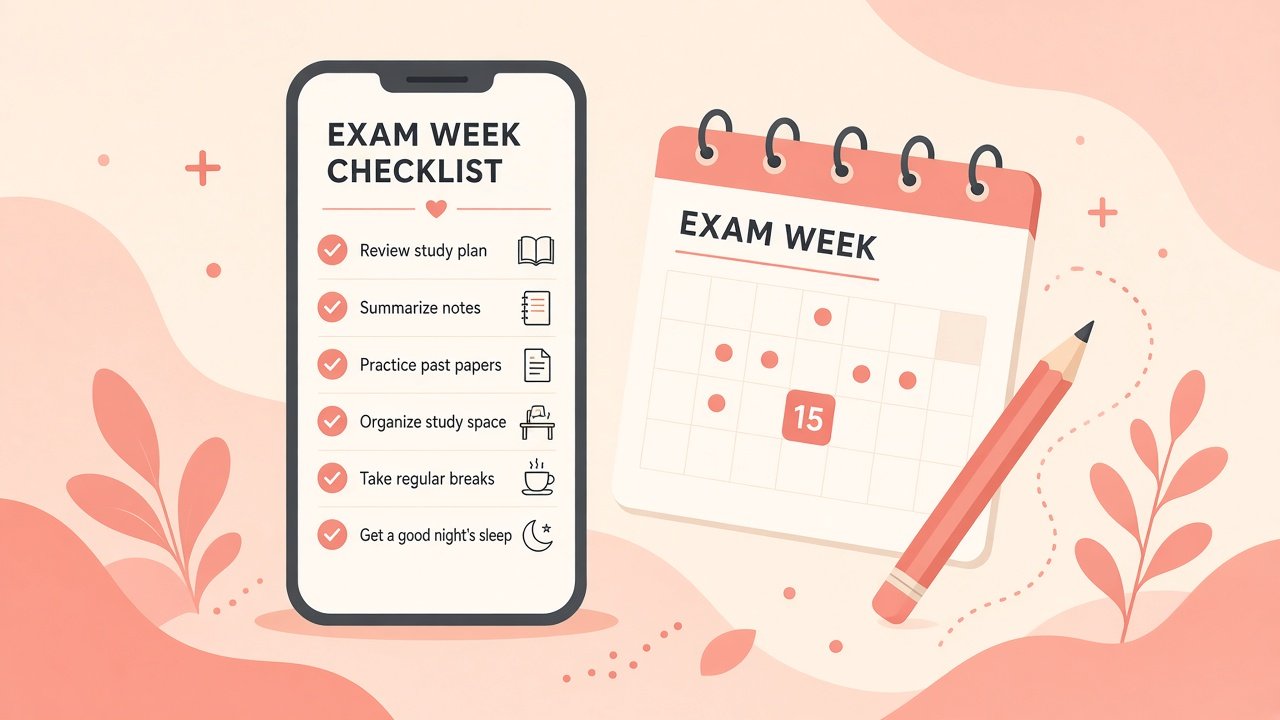
Indian semester exams have a particular shape: a compressed week or two, halls that feel colder than the rest of campus, and a phone that either saves you or drains you. Fancy productivity systems collapse under that pressure. What survives is a short checklist you can open in Notes, Google Keep, or Calendar without opening five apps first.
This is a realistic exam-week system for college students—not a second brain rebuild, not a Notion temple. Track a few things that actually move marks and energy. Leave the rest alone.
The point of a phone checklist
Your phone is already in your pocket during revision gaps, auto rides, and hostel queues. A lightweight list beats a perfect planner you stop opening by day three. The goal is visibility: what is left in the syllabus, which past paper you will attempt today, whether sleep is slipping, and whether hall-ticket logistics are handled.
If a system needs colour-coded databases to function, it is already too heavy for exam week.
What belongs on the list
Keep one note titled something plain like Exam Week — May (or whatever your term is). Inside it, use short sections—not essays.
Syllabus chunks Break each subject into named chunks you can finish in one sitting: “DSA — trees + heaps,” “OS — scheduling numericals,” “Accounts — final accounts adjustments.” Tick chunks, not vibes. “Study OS” is too vague to finish.
Past papers and PYQs List which years or sets you will attempt, and mark them done only after you check answers. Attempting without checking teaches confidence, not accuracy.
Sleep and wake anchors One line per day: target sleep window. During exams, students underestimate how much late-night scrolling costs the next morning’s recall. You do not need a sleep-tracking empire—just an honest target you can glance at.
Logistics block Hall ticket downloaded or printed, ID card, spare pen, charger/power bank, water bottle, route to the centre, reporting time. Put this at the top the night before each paper. Academic preparation does not help if you are locked out of the hall.
One “parking lot” for anxiety items A tiny list for intrusive worries (“Did I apply for revaluation last sem?”). Capture them, schedule a ten-minute slot after the paper, and stop rehearsing them during revision.
A daily rhythm that fits a phone
Morning (two minutes): open the note, highlight today’s subject chunk and one past-paper goal. Add the paper’s reporting time to Calendar with a notification 90 minutes prior if travel is involved.
Midday: tick what you finished. Do not rewrite the whole plan because you felt guilty. Adjust one chunk size if needed.
Evening: set tomorrow’s first chunk. Plug the phone in outside the bed if charging-in-bed turns into an hour of Reels. Put the charger reminder on the logistics line so it is not a 1 a.m. surprise.
Calendar works well for fixed events: paper timings, travel, and “no revision after 11:30” if that is your rule. Keep and Notes work better for ticking syllabus chunks. Pick one primary surface for the checklist so you are not hunting across apps.
Sample structure you can copy
You can paste something like this into Keep or Notes and edit it:
EXAM WEEK
Logistics: hall ticket / ID / pens / power bank / water

Subj A
[ ] Chunk 1
[ ] Chunk 2
[ ] PYQ set 1

Subj B
[ ] Chunk 1
[ ] Chunk 2
[ ] PYQ set 1

Today: ________
Sleep target: ________
Parking lot: ________
Ugly is fine. Pretty templates are how systems die on day two.
What NOT to overbuild
Do not create a new Notion workspace the Sunday before papers. Migration is not revision.
Do not track every pomodoro in three apps. If a simple timer helps, use the clock app. If tracking the tracker becomes the hobby, delete it.
Do not aim for perfect coverage of every optional topic while core scoring areas remain half-done. Weight the checklist toward what your faculty emphasises and what past papers repeat.
Do not keep motivational quotes as half the note. One reminder to drink water is enough. Inspiration posts do not replace a solved numerical.
Do not share your entire checklist in a group chat for accountability theatre. A friend asking “did you finish trees?” is useful; performing productivity for twenty people is not.
Do not schedule revision in 15-minute fragments all day with no deep block. Phones excel at reminders; they also excel at interruption. Put the phone on silent or in another room for one solid block per subject when possible.
Handling the messy middle of the week
By mid-week, plans slip. That is normal. When you fall behind, cut optional chunks before you cut sleep further. Rewrite only today’s section. Resist the urge to rebuild the whole note at midnight—that is avoidance wearing a planning costume.
If two papers fall on consecutive days, front-load logistics the evening before paper one so paper two’s morning is not a scavenger hunt. Keep a physical pouch ready: pens, hall ticket, ID. The phone checklist should point to that pouch, not replace it.
Group study can help for doubt-clearing. Put a hard end time in Calendar. Open-ended “doubt sessions” often become collective anxiety with snacks.
After each paper
Add two lines while the memory is fresh: topics that surprised you, and anything to carry into the next subject’s revision. Then close the note. Rumination after a paper rarely improves the next one; a two-line capture does.
Delete or archive the week’s note when the term ends. Next semester gets a fresh list. Old checklists become clutter that makes the phone feel heavier than it is.
Closing
A good exam-week phone system is boring on purpose. Syllabus chunks, past papers, sleep, and hall logistics beat elaborate dashboards. Use Notes or Keep for ticking work, Calendar for times you must not miss, and protect one deep revision block from your own notifications.
You are not failing at productivity if your list is plain. You are succeeding if you can open it in three seconds, know the next chunk, and walk into the hall with a charged power bank and the right ID. Keep the system lighter than the syllabus—and let the marks come from study, not from managing study tools.